What Is NDVI?
Plants Reflect Near-Infrared Light
Green leaves use red light for photosynthesis, so they absorb most of it. The inside of a healthy leaf reflects near-infrared light, which our eyes cannot see, very strongly. Bare soil, water and buildings do not show this difference. NDVI, the Normalized Difference Vegetation Index, turns it into one number:
NDVI = (NIR - Red) / (NIR + Red)
The result is between -1 and 1. The more living green leaf there is in a cell, the higher it is. Sentinel-2 measures red light in band B04 and near-infrared in band B08, both at 10 m.
What the NDVI Values Mean
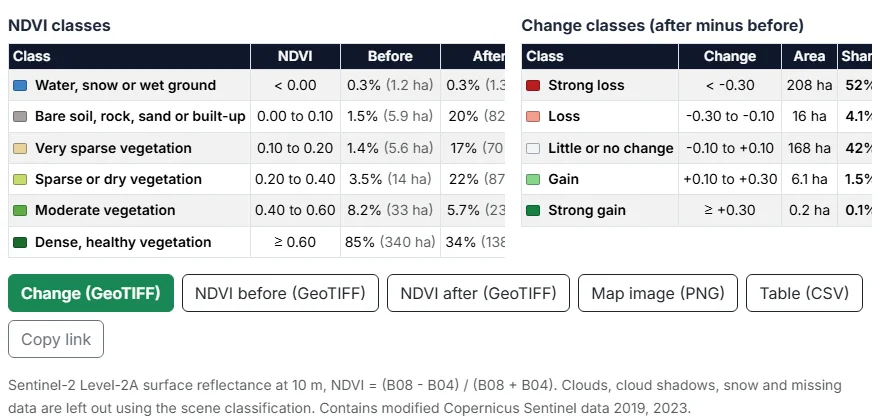
The tool sorts every cell into six classes. The limits are common rules of thumb, not fixed laws: a crop and a forest with the same NDVI can look very different.
| Class | NDVI | Typical ground |
|---|---|---|
| Water, snow or wet ground | below 0.00 | Lakes, rivers, the sea, snow and very wet ground. |
| Bare soil, rock, sand or built-up | 0.00 to 0.10 | Roads, roofs, rock, sand and freshly ploughed fields. |
| Very sparse vegetation | 0.10 to 0.20 | Dry grass, stubble after harvest, desert scrub and the first days of a crop. |
| Sparse or dry vegetation | 0.20 to 0.40 | Grassland, pasture, shrubs, young crops and plants under drought stress. |
| Moderate vegetation | 0.40 to 0.60 | Crops growing well, mixed woodland, gardens and parks with gaps. |
| Dense, healthy vegetation | 0.60 and above | Closed forest, crops at their peak and well-watered lawns. |
NDVI and a Normal Photo
A satellite photo shows colour. NDVI shows plant activity. Dark green conifers and pale green grass can have the same NDVI, and a brown field with a young crop can already be clearly above bare soil. Use the Photo layer of the tool to look at the true-colour image of the same date next to its NDVI.
How to Use the NDVI & Vegetation Change Analyzer
Place and Square
Click the map, search an address or a place name, or use your location. The yellow square is the area analyzed; set it from 1 to 25 km² (1 to 5 km per side) with the slider and drag the red dot to move it. A bigger square takes longer to read: a 25 km² square can download up to about 15 MB of image data per date.
One Date or Two
NDVI of one date maps vegetation for one month. Change between two dates maps a before and an after and the difference between them. Choose the month and the year of each. The tool starts with July (January in the southern hemisphere), the peak of the growing season in most places.
The Clearest Image of the Month
Press Analyze vegetation. For each month, the tool lists every Sentinel-2 image that covers your whole square, starts with the one with the fewest clouds over its 110 km tile, and checks the clouds over your square itself. It stops at the first image that is at least 98% clear, or keeps the clearest of the first six. You can pick any other image of the month from the list below the map.
A Sentinel-2 Basemap
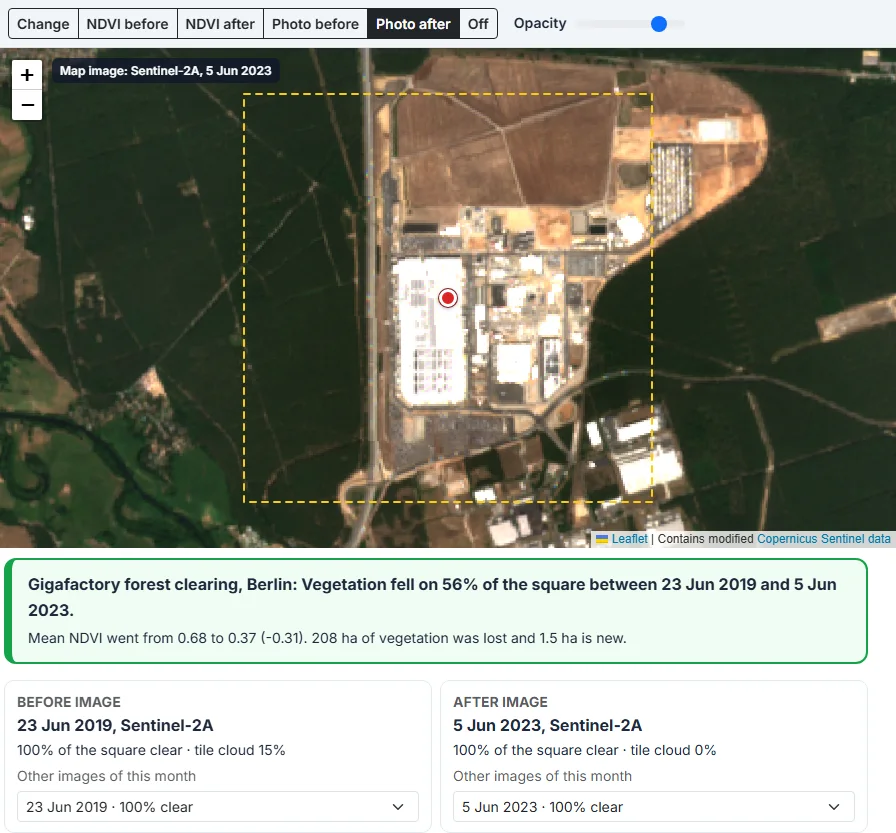
The map under the square is Sentinel-2 too. When you choose a place, the tool picks a clear, complete image of the last summer there and draws its true colours as the map, at 10 m. After an analysis, the map shows the image of the date you are looking at: the before image for the NDVI before and Photo before layers, the after image for the others. The label in the top left corner gives the satellite and the date. When you zoom out past the edge of the 110 km image, the street map shows around it. Choose Street for roads and place names.
Layers, Values and Opacity
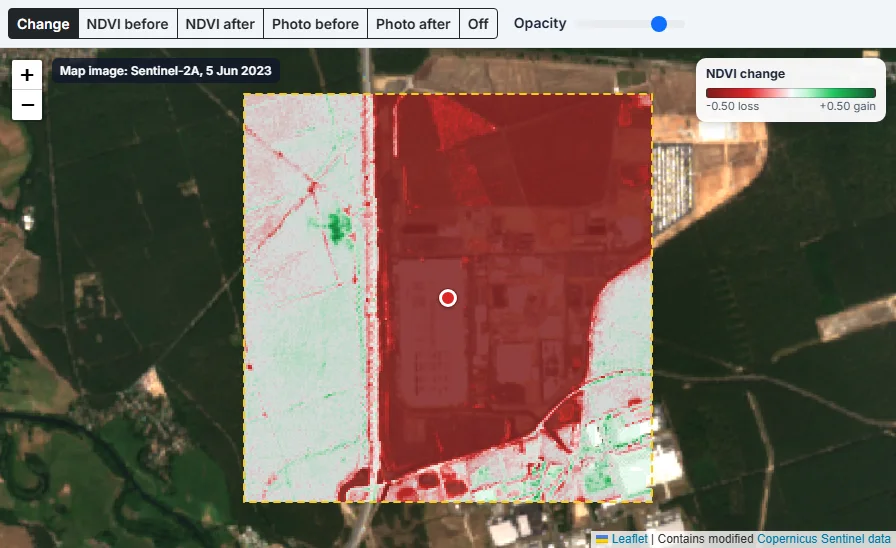
After the analysis, switch between Change, NDVI before, NDVI after and the true-colour Photo of each date. The opacity slider lets the map below show through. Move the mouse over the square to read the NDVI (and the change) of the cell under it.
How to Map NDVI and Vegetation Change: Step by Step
Click the map, search a place or press My location. A yellow square shows the area. Set its size from 1 to 25 km² with the slider, and drag the red dot to move it.
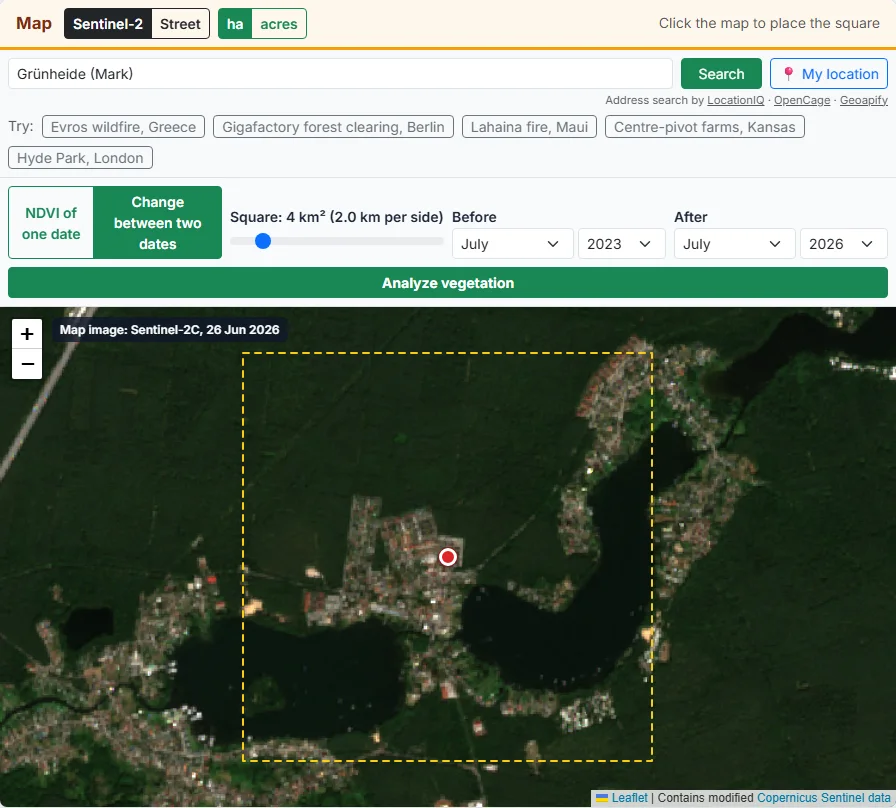
Pick NDVI of one date for a single map, or Change between two dates to compare a before and an after. Choose the month and year of each. Use the same season for both if you can.
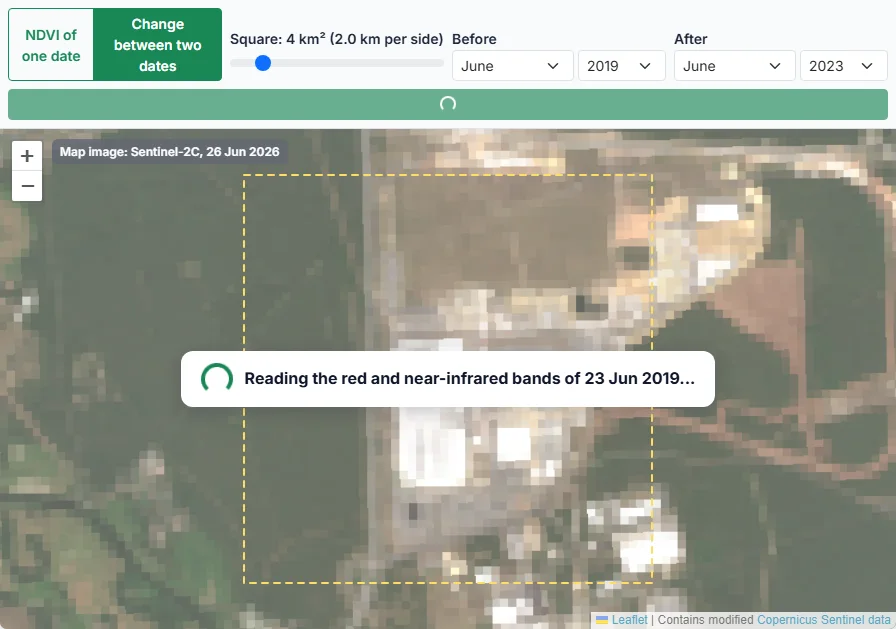
Press Analyze vegetation. The tool searches the Sentinel-2 images of each month, checks the clouds over your square and reads the red and near-infrared bands of the clearest image.
Green shows healthy vegetation, yellow and brown show sparse plants and bare ground, blue shows water. On a change map, red is loss and green is gain. Move the mouse over the square to see the values.
The cards and tables give the mean NDVI, the share and area of each class, and the area lost and gained. Switch to the true-colour photo of each date, or pick another image of the month.
Download the NDVI or the change as a GeoTIFF for QGIS or ArcGIS, the map as a PNG, or the tables as a CSV. Copy the link to open the same images again.
Reading a Vegetation Change Map
Loss, Gain and Little Change
The change is the NDVI after minus the NDVI before, for every cell that is clear on both dates.
| Class | NDVI change |
|---|---|
| Strong loss | down by more than 0.3 |
| Loss | down by 0.1 to 0.3 |
| Little or no change | between -0.1 and +0.1 |
| Gain | up by 0.1 to 0.3 |
| Strong gain | up by more than 0.3 |
Small changes of less than 0.1 are common between two good images of the same place (sun angle, soil moisture, a little haze), so the tool counts them as little or no change.
Vegetation Lost and New Vegetation
Besides the size of the change, the tool counts cells that crossed the line of NDVI 0.3: Vegetation lost went from 0.3 or more to below 0.3 (for example forest to bare ground), and New vegetation went the other way. A drop from 0.8 to 0.6 is loss but not vegetation lost, since the place is still green.
How to Choose Good Dates
- Use the same month in both years when you look for long-term change. The tool warns when the months are 3 or more apart.
- For a sudden event such as a fire, a storm or a flood, take the last clear month before and the first clear month after.
- Avoid winter in cold places: snow is left out, and leafless trees look like loss.
- Farmland changes week by week. Harvest, mowing and ploughing all show as strong loss, so check the photos of both dates.
- If the clear share of the square is low, pick another image of the month from the list.
8 Uses of an NDVI Map
1. Map a wildfire burn scar
Compare a month before and a month after a fire to see which parts burnt and how many hectares lost their vegetation. Strong loss in dark red usually means the fire burnt hot there.
2. Check forest clearing
Compare the same month of two years over a forest. Clear-cuts, new roads and building sites appear as solid red blocks with sharp edges.
3. Compare crop vigour between fields
In the growing season, fields of the same crop should look alike. A field or a corner that is much lower than the others is worth a visit.
4. See the effect of a dry summer
Compare a normal year with a drought year in the same month. Grassland and crops without irrigation drop, while irrigated fields and forest often hold up.
5. Follow regrowth and restoration
After a fire, a clearing or a replanting project, compare later years with the first one after the event. Green gain shows where plants are coming back.
6. Measure green space in a city
Place the square over a neighbourhood and read the share of vegetation. Parks, street trees and gardens show up, and you can compare districts or years.
7. Look at land before you buy or rent it
One NDVI map in summer shows which parts of a plot are productive, wet or bare. Compare a few years to see if it was farmed, left fallow or built on.
8. Teach remote sensing with real data
Students can see why plants are bright in near-infrared, how clouds are masked and why seasons matter, with images from any place they choose.
Downloads: GeoTIFF, PNG and CSV
NDVI and Change as GeoTIFF
The GeoTIFF has one band of 32-bit floating-point values on a latitude and longitude grid (EPSG:4326) of about 10 m cells, with -9999 where a cell was left out. Open it in QGIS, ArcGIS or any GIS program to style it, measure it or combine it with your own field boundaries. In change mode you can download the change and each of the two NDVI grids.
PNG Map, CSV Table and Share Link
Map image (PNG) saves the layer you see (NDVI, change or photo) at one pixel per cell, transparent where cells were left out. Table (CSV) holds the class tables with area in hectares and share in percent. Copy link keeps the place, the square, the months and the exact images, so the link opens the same result.
Data and Method
Sentinel-2 on the Registry of Open Data on AWS
The images are Sentinel-2 Level-2A from the European Union’s Copernicus programme: surface reflectance, corrected for the atmosphere by ESA’s Sen2Cor processor. AWS hosts them for free as Cloud-Optimized GeoTIFFs in the Sentinel-2 Cloud-Optimized GeoTIFFs dataset of the Registry of Open Data on AWS. The images are found with Earth Search by Element 84, a free STAC catalogue of the same data.
Reading Only What Is Needed
A Sentinel-2 band of one tile is a file of about 200 MB covering 110 by 110 km. Cloud-Optimized GeoTIFFs are cut into blocks, so the tool reads the file header and then only the blocks that touch your square, with HTTP range requests straight from your browser. The images are in UTM; the tool converts each cell of its own latitude and longitude grid to UTM and takes the nearest pixel, so the result lines up with web maps.
Cloud, Shadow and Snow Mask
Every image has a scene classification layer (SCL) at 20 m. Cells classed as no data, saturated, cloud shadow, medium or high cloud, thin cirrus or snow are left out. The clear share shown for each image is the part of your square that is left.
The 2022 Reflectance Offset
Since ESA’s processing baseline 04.00 (January 2022), Level-2A values carry an offset of 1000 that must be removed before NDVI is calculated, or NDVI comes out too low. Some files on AWS already have it removed and some do not, and the catalogue flag is not always right. The tool therefore checks the pixels themselves: over vegetation and water, red reflectance is almost always below 0.1, so it can see whether the offset is still in the values.
Limits
- A 10 m cell mixes everything inside it. Narrow hedges, single trees and small gardens are blurred with their surroundings.
- NDVI saturates above about 0.8: dense forests and crops at their peak look alike even when one has more leaves.
- Thin haze and smoke that the scene classification does not catch lower NDVI a little.
- Soil colour and wetness change NDVI where plants are sparse.
- Images start in 2017, with fewer per month until the middle of 2018, so early months may have no clear image.