What Is a Line of Sight Check?
A Straight Line Over the Ground
Two points can see each other when the straight line between them stays above the ground all the way. The tool draws that line from the top of A (the ground plus the height you give) to the top of B, and compares it with the ground at every sample in between. If the ground rises above the line anywhere, the view is blocked there.
Questions It Answers
- Can I see this mountain, tower or island from here?
- Will a radio, Wi-Fi or microwave link between two masts work, and how high must the antennas be?
- Will a new wind turbine or mast be visible from a house or a viewpoint?
- Which parts of the ground along a line can I see from where I stand?
How to Use the Line of Sight Checker
Set A and B
The first click on the map sets A (blue), the second sets B (red); after that the clicks take turns. The buttons Next click sets A / B choose which point the next click or search moves, and the arrow swaps the two points with their heights. Drag a point to move it. My location puts A where you are.
Heights Above the Ground
Give each end its height above the ground, in metres or feet: about 1.7 m for a standing person, the antenna height on a mast, the floor height plus 1.5 m for a window, or 0 for a summit you want to see. The result changes at once when you type.
Light, Radio or No Refraction
Eyes, camera (light) uses an Earth 1.15 times larger to model the usual bending of light. Radio link uses 4/3, the standard value for radio, and adds the first Fresnel zone for the frequency you enter. No refraction uses the real Earth, the strictest check.
Reading the Result
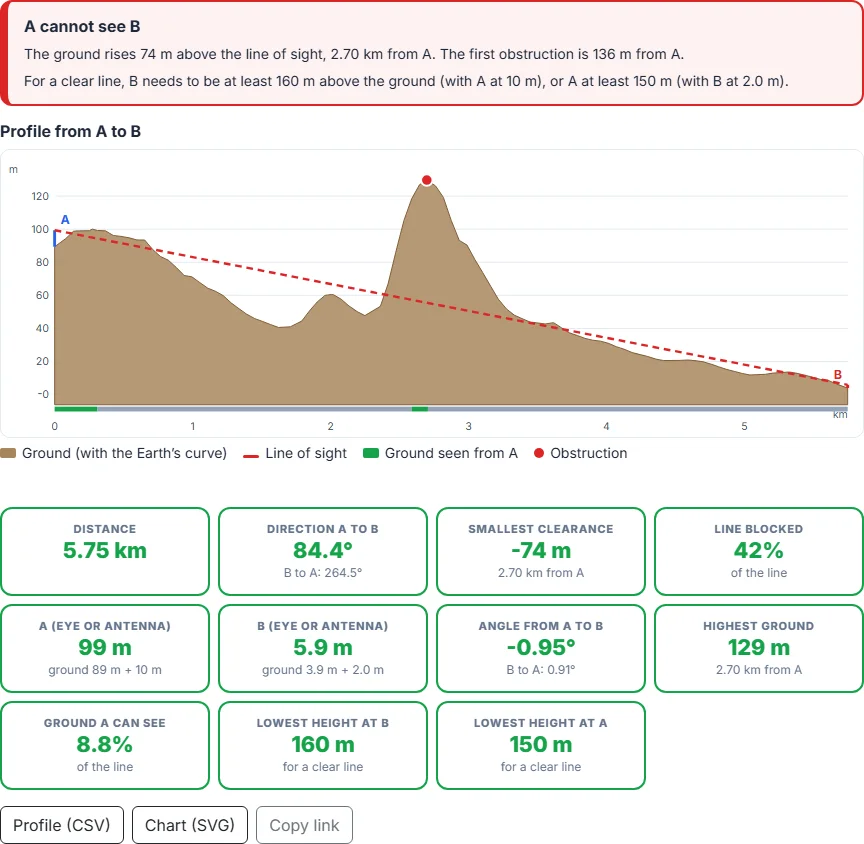
The box at the top says if A can see B and by how much the line clears the ground, or where and by how much the ground rises above it. The chart shows the ground with the Earth’s curve (brown), the sight line (green when clear, red and dashed when blocked), the worst obstruction as a red dot and, for radio, the Fresnel zone in blue. The strip under the chart and the line on the map show in green the ground A can see. Move the mouse over the chart to see each place on the map.
How to Check the Line of Sight Between Two Points: Step by Step
Click the map where you stand, or where the first antenna is. You can also search a place or use your location. A blue A marks the point; drag it to move it.
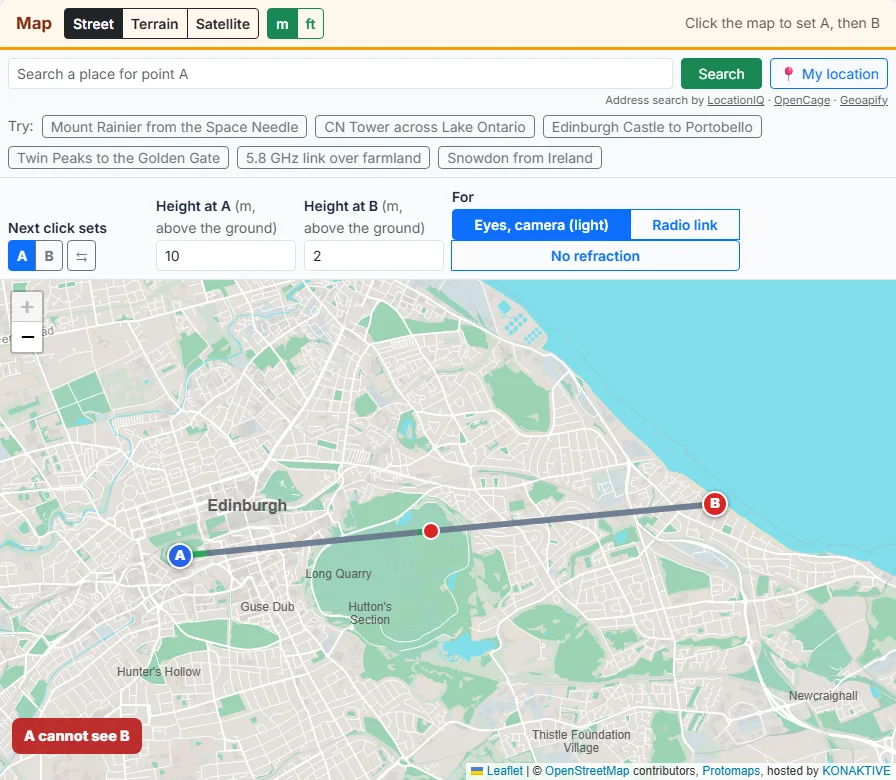
Click the place you want to see, or the second antenna. A red B marks it, and the tool reads the ground between the two points at once.
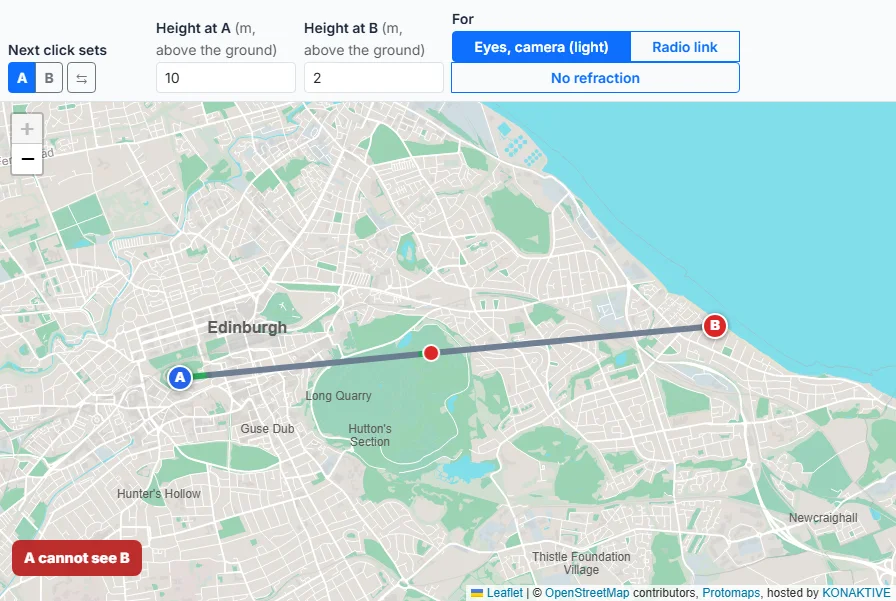
Type how high each end is above the ground: about 1.7 m for a person, the mast height for an antenna, the top of a tower or the flying height of a drone.
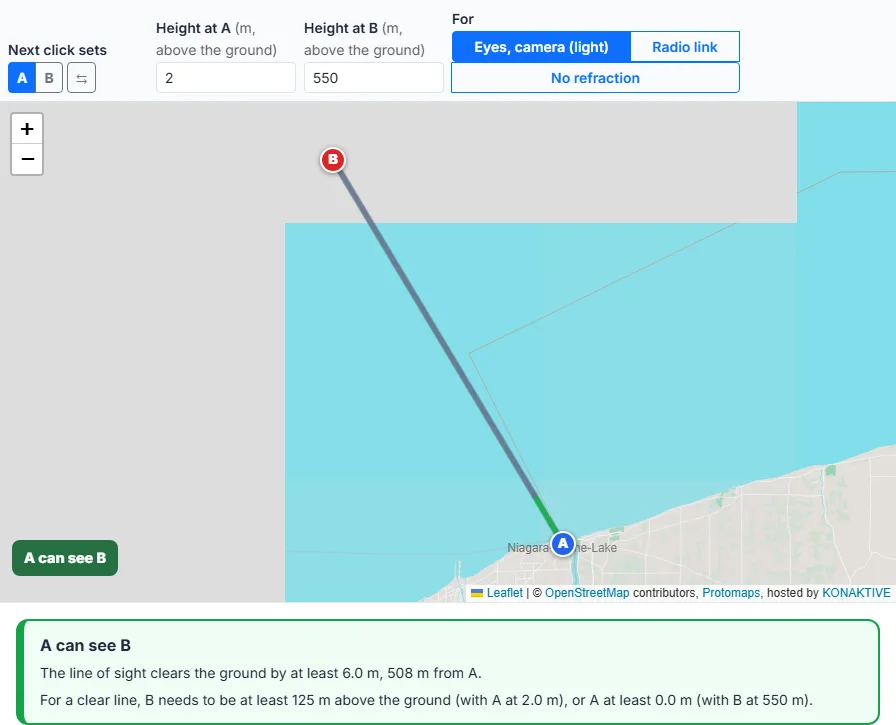
Eyes and cameras use the refraction of light. For a radio link, choose Radio link and enter the frequency to see the Fresnel zone.
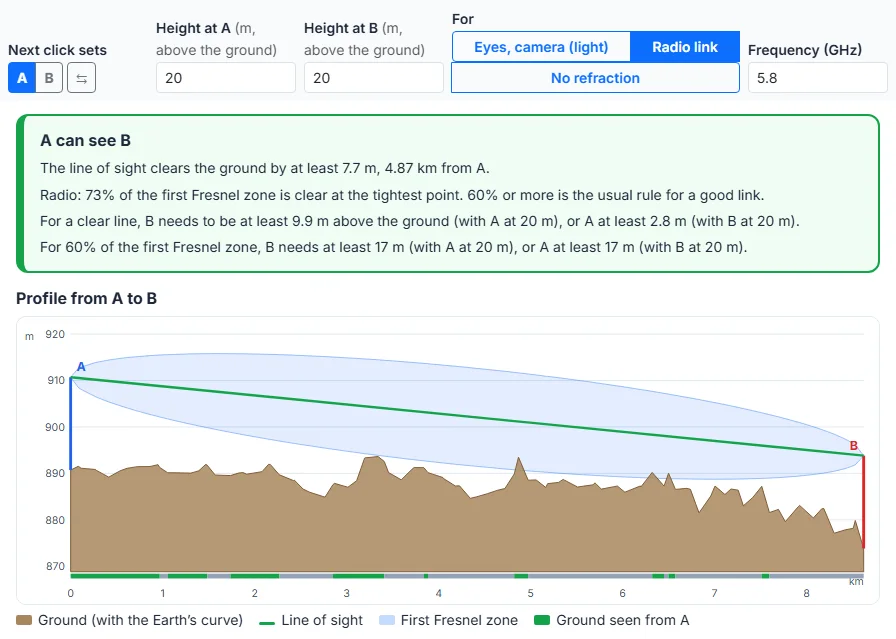
The box says if A can see B. The chart shows the ground with the Earth’s curve, the sight line, any obstruction in red and, for radio, the Fresnel zone. Move the mouse over the chart to see each point on the map.
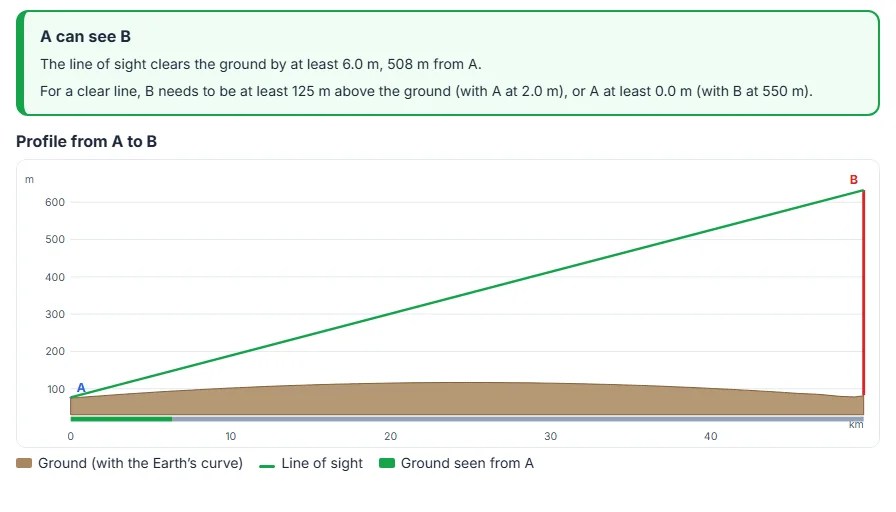
If the view is blocked, the tool gives the lowest height at A or at B that clears it. Download the profile as CSV or the chart as SVG, or copy the link.
The Curve of the Earth and Refraction
How Much the Curve Hides
Between two points at the same height, the Earth bulges up into the straight line. In the middle of the line, without refraction:
| Line length | 5 km | 10 km | 20 km | 50 km | 100 km | 200 km |
|---|---|---|---|---|---|---|
| Rise in the middle | 0.5 m | 2 m | 7.8 m | 49 m | 196 m | 785 m |
The tool adds this rise, with refraction, to every point of the line: d × (D - d) / (2 K R), with R = 6,371 km.
How Far Is the Horizon?
Over flat land or the sea, the horizon is √(2 K R h) away for an eye h metres above the ground:
| Eye height | No refraction | Light (K = 1.15) | Radio (K = 4/3) |
|---|---|---|---|
| 1.7 m | 4.7 km | 5 km | 5.4 km |
| 10 m | 11 km | 12 km | 13 km |
| 30 m | 20 km | 21 km | 23 km |
| 100 m | 36 km | 38 km | 41 km |
| 500 m | 80 km | 86 km | 92 km |
| 1,000 m | 113 km | 121 km | 130 km |
Refraction Changes With the Weather
The values above are averages. On a cold, clear morning over water, light can bend much more and far coasts appear above the horizon; on a hot day over land it can bend less. When the result is close (a clearance of a few metres over a long line), treat it as uncertain.
Radio Links and the Fresnel Zone
Why a Clear Line Is Not Enough
Radio energy fills an oval around the direct line. Obstacles inside the first Fresnel zone weaken the signal even when the antennas can see each other. Its radius is largest in the middle of the link:
| Frequency | 1 km link | 5 km link | 10 km link | 20 km link | 50 km link |
|---|---|---|---|---|---|
| LoRa 868 MHz | 9.3 m | 21 m | 29 m | 42 m | 66 m |
| Wi-Fi 2.4 GHz | 5.6 m | 12 m | 18 m | 25 m | 40 m |
| Wi-Fi 5.8 GHz | 3.6 m | 8 m | 11 m | 16 m | 25 m |
| 24 GHz | 1.8 m | 4 m | 5.6 m | 7.9 m | 12 m |
| 60 GHz | 1.1 m | 2.5 m | 3.5 m | 5 m | 7.9 m |
The 60% Rule and Antenna Heights
Links are usually planned with at least 60% of the first Fresnel zone free of obstacles at the tightest point. With Radio link, the tool shows the clear share and the lowest antenna height at each end that reaches 60%. Remember that trees grow and that the terrain data has no buildings: add a margin.
8 Uses of a Line of Sight Check
1. Plan a radio or Wi-Fi link
Check a point-to-point link between two buildings, farms or towers before you buy masts. The tool shows if the path is clear, how much of the Fresnel zone is free, and the antenna height that would fix it.
2. Find out if you can see a mountain
Photographers and hikers use line of sight to plan shots of far peaks, sunrise views and “can you see X from Y” records. Set the summit as B with a height of 0.
3. Check if a wind turbine or tower will be seen
Set B at the planned turbine with its hub or tip height and A at a house or viewpoint. A clear line means the top will be visible, at least where no trees or buildings are in the way.
4. Keep a drone in visual line of sight
Before a flight in hilly land, check that hills will not hide the drone from where you stand at the planned height and distance.
5. Ham radio, LoRa and Meshtastic nodes
Find hilltops that see each other for repeaters and mesh nodes, and see how high a node has to be to reach the next one.
6. Check a view before you buy
See if a sea, lake or mountain view from a plot is blocked by a ridge, and how high a building has to be to see over it.
7. Plan signals and meeting points
On a hike or a search, find which summits or huts can see each other for signalling, radio contact or a phone signal from a mast.
8. Teach the curve of the Earth
Show with real places why ships disappear hull first, why tall towers can be seen from far away, and how far the horizon is.
Data and Method
AWS Terrain Tiles
The ground heights come from the Terrain Tiles dataset on the Registry of Open Data on AWS, made by Mapzen from SRTM, national elevation models and other sources, in the Terrarium PNG format. Your browser loads the tiles along the line straight from AWS; nothing goes through Maplity’s server.
Sampling Along the Line
The tool follows the great circle from A to B and picks the finest tile zoom at which the line crosses at most about 40 tiles: zoom 15 (about 5 m pixels) for lines up to about 30 to 50 km depending on the latitude, coarser for longer lines. It reads one height per pixel, each the mix of the four nearest pixels, and at most 4,000 heights, so about one every 50 m on a 200 km line. The line between A and B is then cut into at most 100 equal stretches, and the check uses the highest point of each stretch at its own place: no hilltop or ridge is missed, and a blocked view is never shown as clear. The ground at A and B is always read at zoom 15. The sea floor is set to sea level.
Limits
- Bare ground only: trees, buildings and bridges are not in the data.
- The data can be off by several metres, more on steep slopes and summits.
- Ground within 25 m of each end (two samples on long lines) is not counted as an obstruction.
- Refraction is an average; real bending changes with the weather.
- Land below sea level is read as sea level.